
From a price to an invoice
Check a selling price, propose the work, then prepare the invoice when it is due.
61 tools · 9 categories · Free to use
Practical calculators and everyday tools for small business. Find an answer, prepare a document and get on with your day.
Free to useNo account required
Search all 61 tools. Your search stays in this tab.
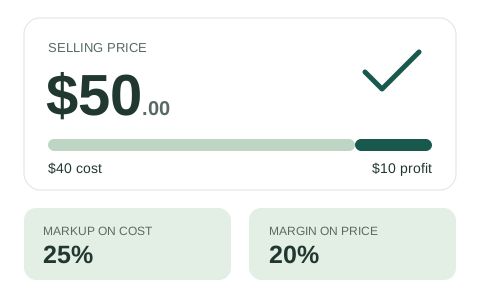
See what a markup means for your selling price and margin.
Open the Markup Calculator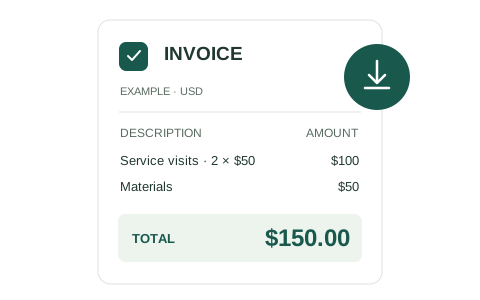
Create a clear PDF with your details, logo and totals.
Open the Invoice Generator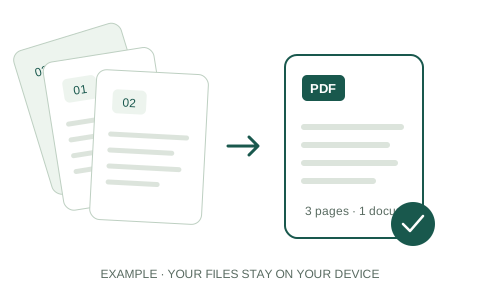
Arrange your files and combine them on your device.
Open Merge PDFTHE TOOL LIBRARY
FIND THE RIGHT TOOL
Set a price, check your margin, compare marketing costs or plan your next cash decision.
Compare Business Finance toolsCompare two values using their average, see the steps and keep a comparison worksheet.
Price measured surfaces at your rates, apply one minimum and print an itemized estimate.
Price a mowing visit from your crew’s own time and costs. Check margin, plan a season and keep a clear customer summary.
Price a cleaning visit from your crew’s time and costs. Check profit, compare another quote and keep a CSV worksheet.
Find what each imported product costs after freight, insurance and other shipment charges.
Find a wholesale price that works for both you and the retailer, using your costs and target margins.
Price a cake from ingredients, labor and other entered costs. Compare margin with markup and save your costing sheet.
Calculate percent off, stack discounts or find the original price. See the exact price after each step.
Calculate profit margin from costs and revenue, or find the price you need for a target margin.
Find a selling price from cost and markup. See profit and margin alongside it.
Find how many sales cover your costs. Add a profit goal to see the sales target you need.
See how long your cash could last. Compare monthly income and spending, growth plans and funding needs.
Find the price before tax and the tax included in a total, using your sales tax rate.
Estimate how long it takes to collect credit sales. Compare days sales outstanding with your payment terms.
Calculate campaign ROAS, then use your order costs to find break-even and target advertising returns.
Calculate CPM, budget or impressions and compare the combined cost of two placements.
Calculate ad click-through rate or plan the clicks and impressions needed for a goal.
Find your conversion rate from users, sessions or ad interactions. Choose the count that fits your campaign.
Find a percentage of a number, what percent one value is of another, or the whole from a part and percent.
Find the percentage increase or decrease between two values, along with the difference in numbers.
Calculate customer acquisition cost and the contribution needed to recover it.
Turn the details of a job or purchase into a clear quote, invoice, purchase order or expense report.
Explore Invoices & PaymentsRecord expenses, separate company-paid costs and apply an advance. Review the balance and download your PDF or CSV report.
Create a purchase order with supplier details, items and delivery terms. Review and download your PDF.
Create a USD invoice with your logo, clear totals and a free PDF download. Remember your details on this device for next time.
Define the work and exclusions, price each service, check your margin privately and download a client-ready quote PDF.
Add up work hours, compare pay, count business days or prepare a calendar event.
Explore Time & PayProject annual salary growth, compare raises and see the buying power of future pay.
Calculate a pay raise from a percentage, dollar increase or new salary. Compare two options and see the change per paycheck.
Calculate business mileage trip by trip using dated 2026 IRS rates or your agreed rate. Keep a complete CSV worksheet.
Work out sales commission at a flat rate or in tiers. Add base pay and download a sales statement.
Add or subtract video durations and convert timecode to frames or frames to timecode. Review every row and download the complete worksheet.
Create a timed or all-day calendar event. Review the timezone and download an ICS file without an account.
Calculate earned PTO and track your balance after time off. Include your starting balance and policy cap.
Count business days or add and subtract working days. Check each date and observed US holidays.
Turn one or two weeks of work into a clear time card. Add split or overnight shifts, save locally and keep a useful report.
Convert hourly pay to salary, or salary to hourly pay. Compare two offers using your working schedule.
Work out when to reorder, how much to buy and what you need to finish the job.
Explore Inventory & OperationsDescribe the job, assign responsibility and record completion. Add optional labor and parts, then review your PDF or CSV.
Find shipment density from packed dimensions and weight. Combine different package sizes in one worksheet.
Download a blank 5 Whys template or record a problem, why chain, evidence and follow-up action online.
Calculate the grain volume in round bins with a flat, peaked or coned-down surface. Save a multi-bin worksheet.
Plan delivery and order-by dates from supplier, shipping, receiving and buffer days.
Estimate acres per hour, suitable field days and the working width needed for a target area.
Create consistent SKUs for product variants. Check for duplicate codes and download your catalogue as CSV.
Find when to reorder from demand, lead time and safety stock. Compare the trigger with your current stock.
Estimate a stock buffer for changes in demand and delivery times, using your data and service target.
Balance ordering and holding costs. Compare case packs, supplier minimums and your current order quantity.
See how often you sell through inventory and how many days stock stays on hand.
Put pages in order, combine files, turn photos into a PDF or save PDF pages as images.
Explore DocumentsBring proposals and supporting records together. Preview, arrange and combine PDFs on your device.
Arrange photos and screenshots, preview A4 or Letter pages, and download a PDF without uploading files.
Choose PDF pages, set image quality and preview the actual output. Download JPG or PNG without uploading files.
Set the page boundaries, see exactly what each file will contain, and split a PDF without uploading it.
Move, rotate or remove PDF pages, check the exact order, then download one local PDF.
Find a business classification using official definitions, or convert JSON records into a spreadsheet-ready table.
Explore Data ToolsFind a US SIC code by business activity. Read the official descriptions and compare possible matches.
Find your 2022 US NAICS code. Search business activities, explore industries and compare possible matches.
Turn JSON into a CSV spreadsheet. Choose your columns, check the preview and download the full table.
Plan flooring, mulch and deck stain purchases. Compare whole-package quantities, spare material and costs.
Explore Home ProjectsMeasure a driveway, plan each gravel layer and turn the quantities into a supplier order worksheet.
Allow for the post inside each hole, compare bag rounding and keep a concrete purchase worksheet.
Measure deck and railing faces, calculate each coat and compare whole cans or pails.
Measure beds and tree rings, allow for existing mulch and compare whole bags with delivered bulk.
Plan vinyl plank flooring for several rooms. Compare carton quantities, waste, spares and complete material costs.
Resize a JPG or PNG to the pixels or percentage you need, then preview and download it.
Explore Image ToolsCheck the length of a draft or selected passage, and see how it fits your writing target.
Explore Text ToolsUse each result in your next task.
You choose what to copy across.
Check a selling price, propose the work, then prepare the invoice when it is due.
Find your reorder trigger, compare an order quantity, then document the purchase.
Turn images into pages, combine supporting files, then arrange the final document.
Useful from start to finish
Check a result and understand what went into it. Our calculators explain their formulas and assumptions; our document tools let you review your work before downloading it.
Your entries and files are processed in your browser. Save supported drafts on your device when you choose, or download the finished work for later.
Yes. You can use the published calculators and download the files they create without paying or creating an account. Choose a tool above to get started.
Use the Markup Calculator to add a percentage to cost, or the Profit Margin Calculator to work toward a margin on the selling price. For a specific job, try the House Cleaning, Lawn Mowing or Cake Pricing Calculator.
Yes. The tools run in a web browser on a phone, tablet or computer. No app installation is needed. File tools use your browser’s file picker and download controls.
US small businesses and professionals are our starting point. Tools with US-specific rates, classifications, holidays or currency explain that scope on the page. General percentage, image, text and PDF tools can also help with work elsewhere.
To cover these costs
250 units
$12,500.00 in sales
Each sale contributes $20.00 toward fixed costs. Same period, unchanged price and unit costs.
6.00 months
Until cash runs out at $20,000.00 monthly net burn.
Month 9
Monthly cash in first covers expenses, with cash still available.
Growth scenario: cash receipts rise 10.00% each month from month 2; expenses stay flat. An assumption to explore, not a forecast.